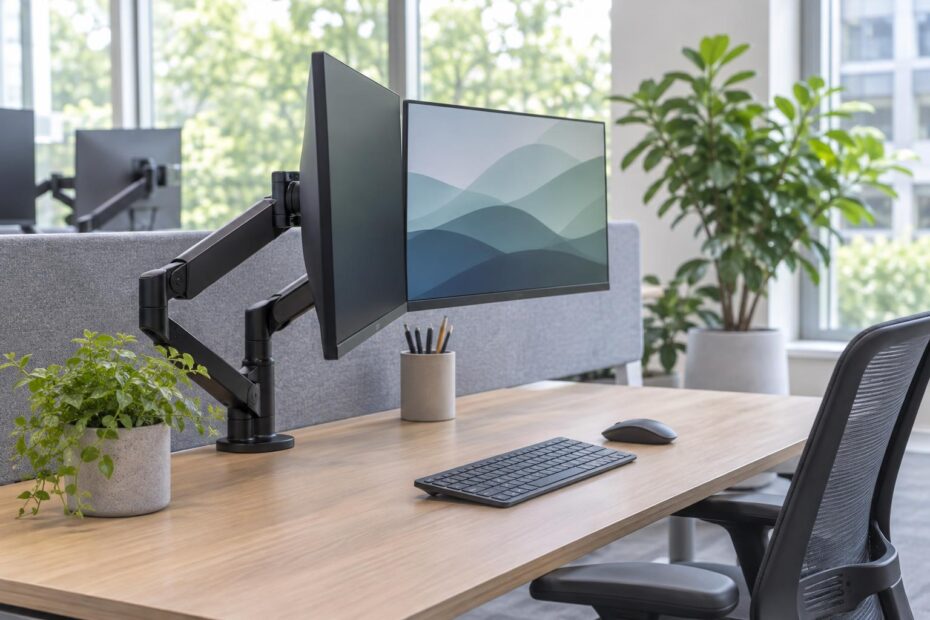
One monitor faces your chair. The other angles toward the aisle. In a dual-screen setup, that small difference can put a customer record or payroll spreadsheet in plain sight. A privacy filter narrows the viewing angle, but the right choice depends on how your screens are mounted, where people pass, and how often you need to share your display.
Best privacy screen filter for 27-inch dual monitors
Choose magnetic filters if you frequently switch between confidential work and screen sharing. Choose adhesive-mounted filters if both displays need privacy throughout the day. In either case, check the fit and viewing-angle specifications before buying two.
| Factor | Magnetic privacy filters | Adhesive privacy filters |
|---|---|---|
| Removal | Quick to lift off and reattach | Depends on the mount: slide-in tabs allow removal, while direct-mount strips are intended to stay in place longer |
| Compatibility | Needs compatible magnetic attachment points or the manufacturer’s mounting strips | Needs enough suitable bezel or edge surface for the specified tabs or strips |
| Best use | Desks where people regularly review work together | Reception desks and workstations where privacy is needed most of the day |
| Main trade-off | Some designs can shift if bumped; adhesive-backed mounting strips may still be required | Tabs may remain visible, and direct-mount strips may need replacing after removal |
When a mixed setup makes sense
Use a magnetic filter on the monitor you regularly share and an adhesive-mounted filter on the one that displays sensitive records. Before committing, check whether the two filters differ noticeably in brightness, color, or glare. If you move windows back and forth all day, a matched pair may be more comfortable.
How microlouver technology works in computer privacy screens
A privacy filter contains tiny louvers that act like a set of blinds. Light traveling toward the person seated in front of the screen passes through more readily. At more oblique angles, the louvers block more of that light, making the display appear darker. The effect is gradual: a filter does not make every off-axis view unreadable, and someone directly behind you may still see the screen.
2-way vs. 4-way privacy screen filter explained
- 2-way privacy restricts viewing from two opposite sides. In the intended landscape orientation, that typically means left and right. It is usually the first choice when foot traffic passes beside the desk.
- 4-way privacy restricts viewing from the left, right, above, and below. It can be useful at a low reception counter where visitors stand over a seated worker. Compare brightness and viewing comfort before buying, especially if you often lean back or stand at your desk.
Check whether the manufacturer lists a total viewing angle or an angle measured from the center. A 60-degree total viewing cone, for example, is roughly 30 degrees to either side of center, not 60 degrees per side. If you rotate a monitor into portrait mode, confirm that the filter still blocks the directions you need.
How to measure your monitor for a frameless privacy filter
A 27-inch label describes the screen diagonal, not the dimensions or mounting surface the filter needs. Even two displays with the same diagonal and aspect ratio can have different edge designs.
- Look up each monitor’s exact model number. Check the filter maker’s compatibility list and confirm the screen’s aspect ratio.
- Measure the active display width and height. Turn on the screen so you can see where the image ends. Measure in millimeters without including the bezel, then compare your measurements with the seller’s diagram. If the mount requires edge-to-edge dimensions, take those separately.
- Check the mounting area. On a thin-bezel monitor, tabs or magnetic strips may intrude onto the active image. Verify clearance for cameras, sensors, and controls. If a display is curved, look for a filter explicitly designed for it.
- Test both screens from your normal seat. With harmless sample content on screen, angle each monitor toward you and check it from the aisle, a neighboring chair, or across the counter. If one screen is already dim from your working position, adjust its angle before raising brightness.
Privacy screen filter vs. anti-glare blue light protector
Choose by function, not by product name. A privacy screen filter limits off-axis visibility. An anti-glare protector reduces reflections, often with a matte finish. A blue-light protector reduces transmission in part of the blue spectrum and may change how colors look. Neither anti-glare nor blue-light filtering, on its own, keeps neighboring desks from seeing your display.
Some privacy filters offer a matte side and a glossy side. Matte can help under overhead lighting; glossy may look clearer in a room with controlled lighting. Confirm which features the product actually provides, and test the two monitors side by side with a blank document and small text before settling on a finish.
How to prevent visual hacking and shoulder surfing in open offices
A filter works best when it blocks the sightlines people actually use. At a shared finance desk, for example, an aisle-facing display may need both a filter and a change in monitor angle. At a clinic reception desk, a standing visitor may still see a display from above unless the workstation is repositioned or the filter also limits vertical viewing.
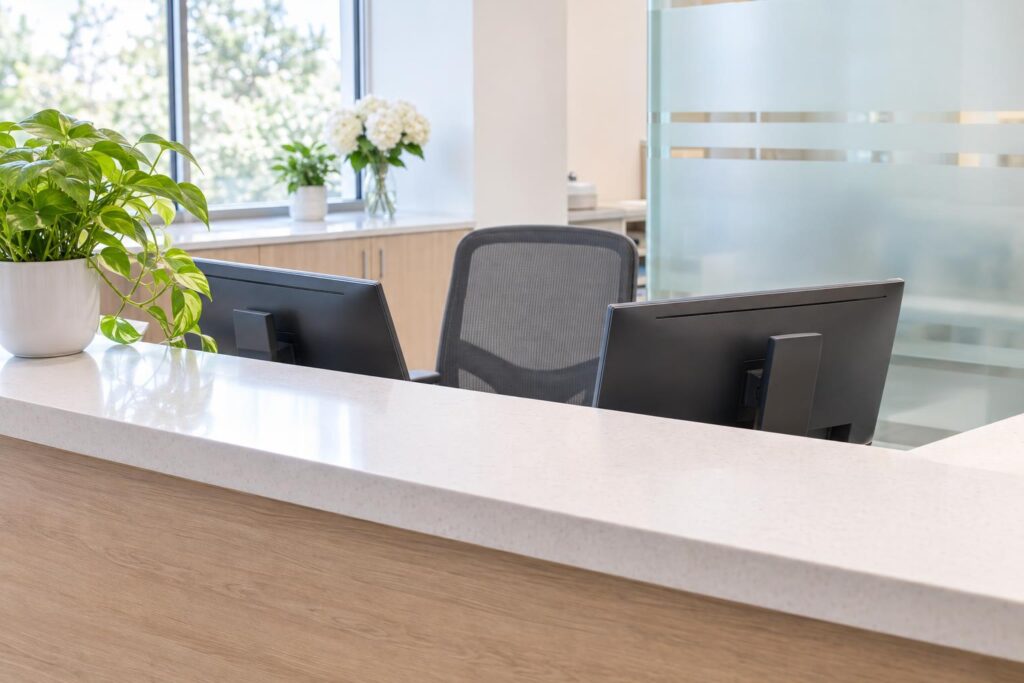
- Angle both monitors toward your seat and away from queues, glass partitions, and doorways. Check for reflections that reveal screen content.
- Keep sensitive windows on the less exposed monitor, and share a single window instead of your entire desktop during calls.
- Lock your computer when you step away, enable automatic screen locking, and hide sensitive notification previews.
- Retest whenever you move a desk or monitor arm. Use sample data and check from seated and standing positions, including directly behind the chair.
GDPR visual data protection requirements for remote workers
The GDPR does not prescribe a privacy filter for every remote worker. Articles 5 and 32 of the GDPR require appropriate safeguards for personal data, with security measures informed by risk. If employees handle personal data in coworking spaces, on trains, or in shared homes, a filter can help reduce incidental viewing. It is one safeguard, not permission to handle sensitive work in a location where others can still see the screen.
HIPAA screen privacy rules for healthcare reception desks
HIPAA does not mandate a particular filter or monitor mount. For electronic protected health information, the HIPAA Security Rule’s workstation use and security standards address appropriate workstation use and physical safeguards that restrict access to authorized users. At reception, start by positioning displays away from patient sightlines and using automatic locking. A filter can add protection where repositioning alone does not address the view from a counter or waiting area.
How to clean a laptop privacy filter without damaging microlouvers
The same basic approach applies to most removable desktop filters: follow the manufacturer’s instructions, use light pressure, and keep liquid away from the edges. The aim is to clean the exposed surface without scratching it or letting moisture seep into the filter’s layers.
- Turn off the display. Remove the filter if it is designed to detach; don’t pry up a direct-mount filter just to clean it.
- Wipe away loose dust with a clean, dry microfiber cloth. For fingerprints, use a lightly dampened cloth only if the maker permits it. Never spray liquid directly onto the filter.
- Avoid paper towels, abrasives, ammonia, and alcohol unless the manufacturer explicitly approves the cleaner for that model.
- Let the filter dry completely before reinstalling it. Store removable filters flat in a clean sleeve when not in use.
The bottom line: Buy for the desk, not just the diagonal
Magnetic filters are the better fit when you regularly share a display; adhesive mounts make sense when privacy needs to stay in place. Measure both monitors, use 2-way coverage for side traffic or consider 4-way coverage for elevated sightlines, and test from the places visitors actually stand. The best setup is one you can work comfortably behind without leaving an easy view from the aisle.